
14 Jun Menu.py e Init.py
This is a list about how to configure the init.py and the menu.py. We can load gizmos, add formats, change menus and much more just with this couple of files that load when Nuke is launched. Below you’ll find a sample of each file.
Init.py (loaded by nuke before menu.py):
 # Copyright (c) 2009 The Foundry Visionmongers Ltd. All Rights Reserved.

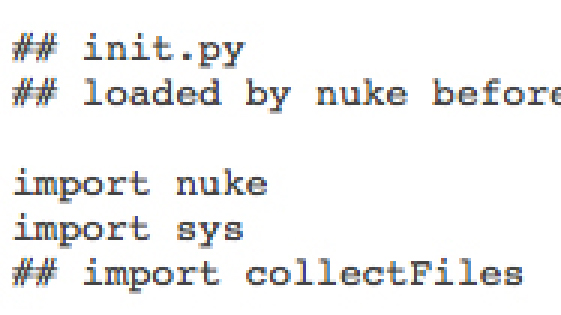
## init.py
## loaded by nuke before menu.py

import nuke
import sys
## import collectFiles

nuke.pluginAddPath('./gizmos')
nuke.pluginAddPath('./icons')
nuke.pluginAddPath('./icons/nuke_icons')
nuke.pluginAddPath('./python')
nuke.pluginAddPath('./python/toolsTK')
nuke.pluginAddPath('./plugins')
nuke.pluginAddPath('./gizmos/pixelfudger')
nuke.pluginAddPath('./gizmos/BL')
nuke.pluginAddPath('./gizmos/P')
nuke.pluginAddPath('./gizmos/CurveFactory')
nuke.pluginAddPath('./gizmos/frank_rueter')
Menu.py:
# import mari_bridge

import mari_bridge

# Add hidden plugins to menubar

#nuke.load('Blocky')
#menubar = nuke.menu("Nuke")
#m = menubar.addMenu("Custom")
#m.addCommand('Blocky', 'nuke.createNode("Blocky")', '')

nuke.load('Blocky')
m = nuke.menu("Nodes")
m.addCommand('Filter/Blocky', 'nuke.createNode("Blocky")', 'CheckerBoard.png')

nuke.load('ch_menu.py')

# Barra Menu Nodos

toolbar = nuke.toolbar("Nodes")
myMenu = toolbar.addMenu("Nukepedia", icon="Nukepedia.png")

myMenu.addCommand('L_Grain_v05', 'nuke.createNode("L_Grain_v05.gizmo")', 'L_Grain_v05.png')

myMenu.addCommand('RainMaker4', 'nuke.createNode("RainMaker4.gizmo")', 'RainMaker4.png')

myMenu.addCommand('FlareFactory', 'nuke.createNode("FlareFactory.gizmo")', 'FlareFactory.png')

myMenu.addCommand('TX_Fog', 'nuke.createNode("TX_Fog.gizmo")', 'TX_Fog.png')

myMenu.addCommand('Wipe', 'nuke.createNode("Wipe.gizmo")', 'Wipe.png')

myMenu.addCommand('DespillMadness', 'nuke.createNode("DespillMadness.gizmo")', 'DespillMadness.png')

# myMenu.addCommand('frutas/naranja', 'nuke.createNode("manzana.gizmo")', 'a', 'test_gizmo.png')
# myMenu.addCommand('verduras/pimiento', 'nuke.createNode("manzana.gizmo")', 'a', 'test_gizmo.png')
# myMenu.addCommand('verduras/lechuga', 'nuke.createNode("manzana.gizmo")', 'a', 'test_gizmo.png')

import pixelfudger

import P

import CurveFactory

# import BL

nuke.menu("Nodes").addCommand("3DE4/LD_3DE4_Anamorphic_Standard_Degree_4", "nuke.createNode('LD_3DE4_Anamorphic_Standard_Degree_4')")
nuke.menu("Nodes").addCommand("3DE4/LD_3DE4_Anamorphic_Degree_6", "nuke.createNode('LD_3DE4_Anamorphic_Degree_6')")
nuke.menu("Nodes").addCommand("3DE4/LD_3DE4_Radial_Standard_Degree_4", "nuke.createNode('LD_3DE4_Radial_Standard_Degree_4')")
nuke.menu("Nodes").addCommand("3DE4/LD_3DE4_Radial_Fisheye_Degree_8", "nuke.createNode('LD_3DE4_Radial_Fisheye_Degree_8')")
nuke.menu("Nodes").addCommand("3DE4/LD_3DE_Classic_LD_Model", "nuke.createNode('LD_3DE_Classic_LD_Model')")
nuke.menu("Nodes").addCommand("3DE4/LD_3DE_Classic_LD_Model", "nuke.createNode('LD_3DE4_All_Parameter_Types')")

# Custom Formats
nuke.addFormat('1280 720 HD_720')
nuke.addFormat('1024 576 SD_576')
nuke.addFormat('1920 817 HD_2_35_1920')
nuke.addFormat('1280 544 HD_2_35_1280')

# Comp Defaults
nuke.knobDefault('Root.format', 'HD_720')
nuke.knobDefault('Root.fps', '25')
No Comments